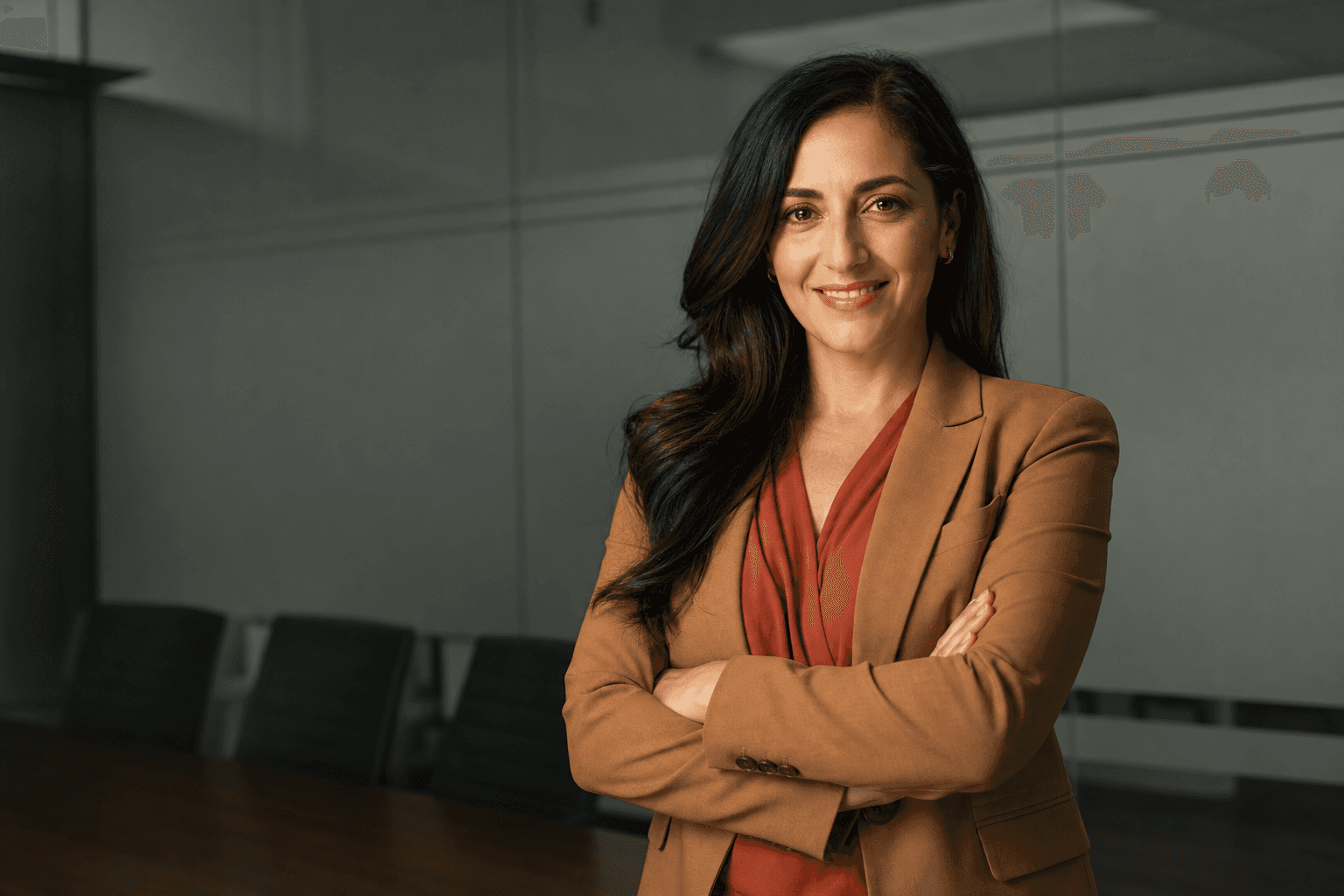
Professional headshot poses can make the difference between a profile that looks forgettable and one that immediately feels confident, credible and approachable. For years, getting that polished result meant booking a photographer, travelling to a studio, choosing outfits under pressure and hoping you felt relaxed in front of the camera. Today, AI-generated headshots offer a smarter alternative: faster, more affordable and easier to control, while still giving you the professional look you need for LinkedIn, company websites, speaker profiles, CVs, pitch decks and online portfolios.
At QuickAI Headshots, the goal is simple: help professionals create studio-quality images without the cost, time or stress of a traditional photoshoot. With the right inputs and a clear understanding of flattering headshot posing tips, AI can generate images that look natural, current and suitable for your industry. Whether you want a serious corporate portrait, a friendly start-up profile photo or a modern executive headshot, your pose choices still matter. This guide explains which poses work best, how to appear confident without looking stiff, and why QuickAI Headshots is a practical way to achieve consistent results.
Why posing matters, even with AI-generated headshots
A great headshot is not just about facial recognition or sharp image quality. It is about communication. Your posture, shoulders, head angle, expression and clothing all send subtle signals. A square-on pose can feel direct and authoritative. A slight angle can feel more relaxed. A soft smile can make you appear approachable, while a neutral expression can create a sense of seniority. AI headshot poses work best when they are based on real-world photography principles, because the final image needs to feel believable and purposeful.
Traditional photoshoots rely heavily on the photographer to guide you through these decisions in real time. That can be helpful, but it can also be expensive and awkward if you do not enjoy being photographed. With QuickAIHeadshots.com, you can select the style and tone you want before your images are generated. The technology uses your uploaded photos to create professional headshots with a range of business headshot poses, backgrounds and expressions, giving you more choice than a short studio session often provides.
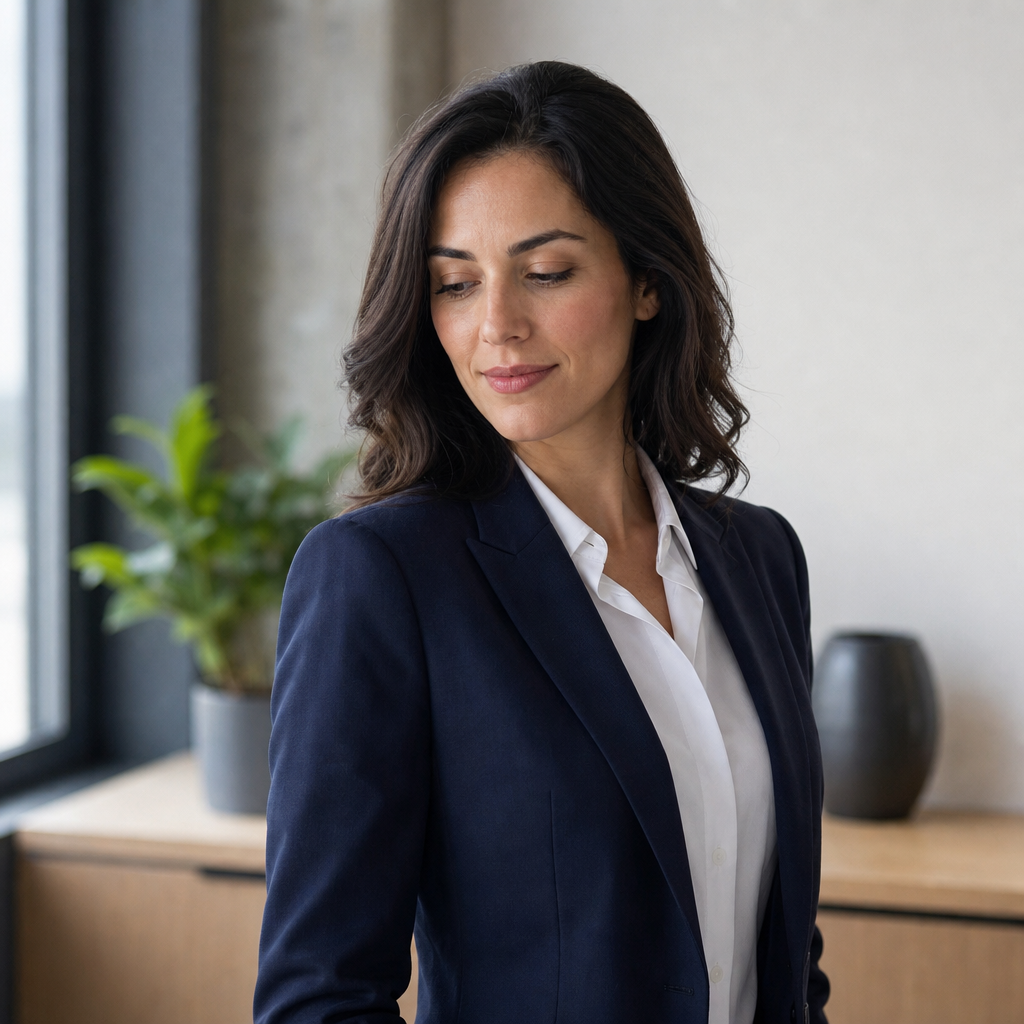
Imagine a single adult professional in a navy blazer and white shirt, standing waist-up in a simple modern office, body angled slightly away from the camera, chin gently lowered, arms relaxed, with soft window-style lighting and a crisp editorial camera feel. This kind of pose works because it looks confident without becoming severe, and it suits a wide range of business profiles.
Professional headshot poses that work for modern careers
The best professional headshot poses are simple. They avoid theatrical gestures, exaggerated smiles and distracting hand placement. A headshot is not a fashion campaign; it is a trust-building image. For most professionals, the strongest poses are clean, balanced and easy to read at small sizes, especially on LinkedIn or a company team page. Your face should remain the focus, with your posture supporting the message rather than competing with it.
One reliable option is the angled shoulders pose. Turn your torso slightly to one side while keeping your face towards the camera. This creates depth and avoids the passport-photo effect. It works especially well for LinkedIn headshot poses because it feels natural and professional on a small circular profile crop. Pair it with a relaxed jaw, lifted posture and a slight smile for a versatile image that can suit consultancy, finance, technology, marketing, education and many other sectors.
Another strong choice is the square shoulders pose. This is more direct and works well for senior leaders, founders, legal professionals and anyone who wants to project authority. The key is not to tense the body. Keep your shoulders down, lengthen the neck and avoid pushing the chin upwards. A direct pose can easily become intimidating if the expression is too stern, so soften the eyes and keep the mouth neutral or gently smiling.
For a warmer, more personable result, try the slight lean. This is common in traditional portrait photography because leaning very slightly towards the camera suggests engagement. It can make you look interested and accessible, which is ideal for coaches, recruiters, therapists, customer-facing teams and founders who want to appear open. In an AI-generated headshot, this pose can be especially effective when combined with a clean office background or neutral studio setting.
Business headshot poses for different professional goals
Not every professional headshot needs to communicate the same thing. A barrister, designer, accountant, entrepreneur and HR director may all need polished images, but the tone can vary. Before choosing your pose style, decide what you want the image to achieve. Do you need to look authoritative? Approachable? Creative? Technical? Executive? Friendly? The answer should shape your posture and expression.
If your priority is authority, choose corporate headshot poses with clean lines: upright posture, direct eye contact and minimal movement. A dark blazer or structured jacket can reinforce the message. Avoid overly casual leaning or broad smiles if your field values formality. This does not mean looking cold; it means looking composed, clear and dependable. QuickAI Headshots can help generate several polished variations so you can choose the one that best matches your professional context.
If your priority is approachability, choose poses with a slight head tilt, softer smile and relaxed shoulders. These professional photo poses are useful for people in client-facing roles, personal branding, coaching, wellbeing, recruitment and education. The aim is to look capable and easy to speak to. Many people underestimate how powerful a natural smile can be; it often increases trust before anyone reads a word of your profile.
If your priority is creativity, you can still remain professional while allowing a little more personality. A subtle turn, textured jacket, open collar or relaxed expression can work well. The important thing is restraint. Your headshot should not be so stylised that it dates quickly or distracts from your credibility. QuickAIHeadshots.com is useful here because you can test a range of modern headshot poses without committing to one expensive shoot concept.
How to prepare source photos for better AI headshot poses
AI-generated headshots are only as strong as the reference material you provide. You do not need studio portraits to begin, but you do need clear photos that show your face accurately from different angles. Choose recent images with good lighting, minimal filters and a range of expressions. Avoid sunglasses, heavy shadows, extreme angles and group photos where your face is partially obscured. The clearer your inputs, the more natural your final headshots will appear.
Include photos where your posture is relaxed and your face is visible. If all your source images show the same expression, the AI may have less variety to work with. A mix of neutral expressions, gentle smiles and slightly different head angles can help generate more realistic options. This is particularly useful if you want AI headshot poses that include both formal and friendly versions for different platforms.
Think about clothing, too. You can use QuickAI Headshots to create images with professional wardrobe styles, but your source photos should still represent you clearly. Avoid extreme makeup, novelty outfits or anything that significantly changes your appearance. The best result is a headshot that looks like you on a very good day: polished, rested and ready for work.
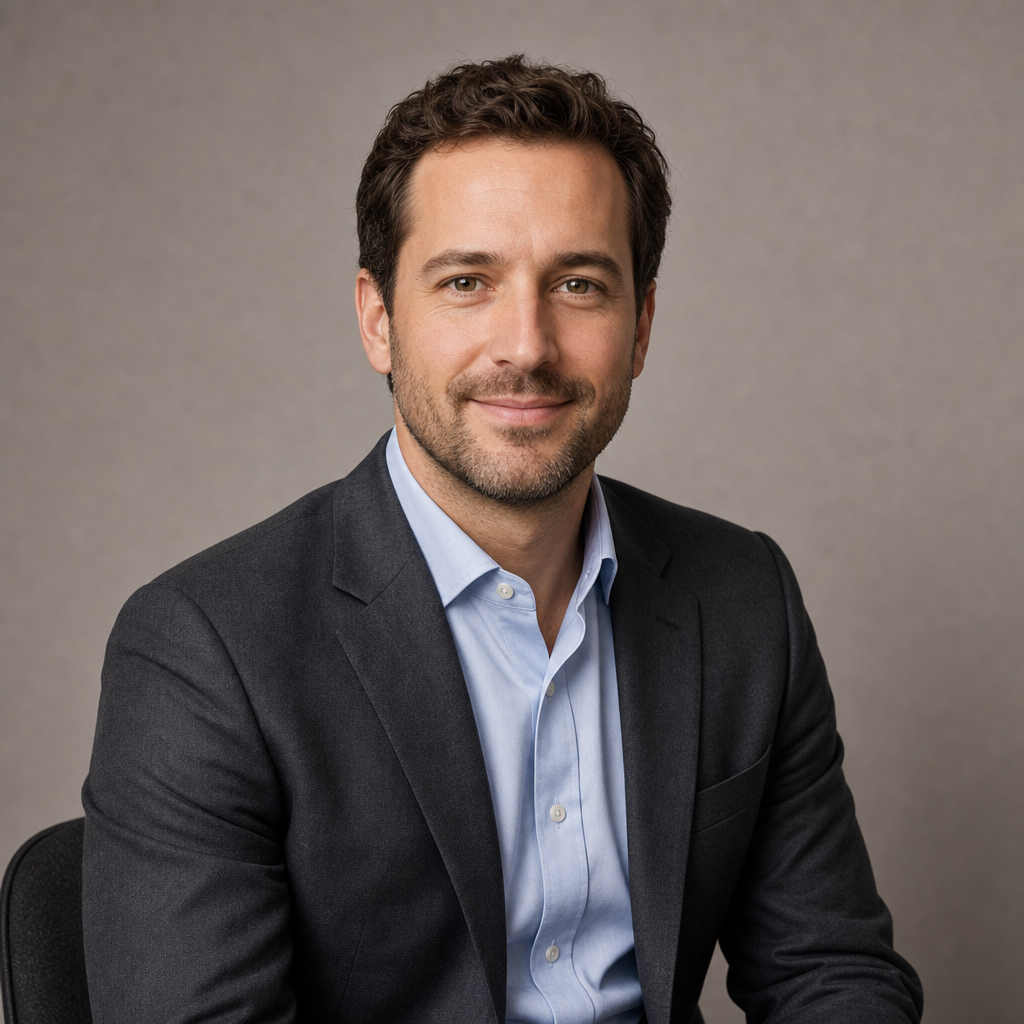
Picture one adult wearing a charcoal suit jacket over a pale blue shirt, seated waist-up against a neutral studio background, shoulders relaxed, face turned slightly towards the camera, with a gentle professional smile, even softbox lighting and a natural portrait lens feel. This illustrates how clean clothing, calm posture and simple lighting can support a trustworthy AI-generated business headshot.
Common headshot posing mistakes to avoid
The first mistake is overposing. Crossed arms, dramatic chin angles and forced expressions can look dated or defensive. While crossed arms can sometimes work for confident executive portraits, they often appear closed off in profile images. If you are unsure, choose a simpler pose. A clean, upright stance with relaxed shoulders will usually outperform something that looks overly directed.
The second mistake is ignoring the crop. Most professional headshots appear as small thumbnails before anyone sees them at full size. If your pose relies on hands, props or a dramatic background, it may not translate well. Head-and-shoulders or waist-up compositions are safest. Your face should be large enough to be recognisable, and your expression should be clear even when the image is reduced.
The third mistake is using a pose that does not match your industry. A highly casual pose may be perfect for a creative freelancer but unsuitable for a board appointment profile. Equally, a very formal corporate portrait may feel too distant for a coach or consultant selling a relationship-based service. QuickAIHeadshots.com lets you generate different versions for different uses, which is one of the major advantages over a single traditional photoshoot.
The fourth mistake is choosing a headshot that flatters your ego but not your goals. The best image may not be the most glamorous one. It is the one that makes the right people feel confident about contacting you. Ask whether the image supports the next step you want someone to take: connect, hire, book, refer, invite or trust.
Why AI-generated headshots are smarter than traditional photoshoots
Traditional photoshoots can produce excellent results, but they come with practical limitations. You need to schedule time, travel, prepare outfits, pose under pressure and wait for edits. If the results are not quite right, reshoots can be expensive. For busy professionals and distributed teams, this creates friction. AI-generated headshots remove much of that friction while still giving you a polished, professional image library.
With QuickAI Headshots, you can create multiple headshot options from your existing photos. This is particularly helpful for teams, because everyone can achieve a consistent professional standard without needing to attend the same studio on the same day. A company can use AI-generated corporate headshots for websites, proposals, internal directories and social media, keeping the visual identity cohesive even when staff work remotely.
Cost is another major advantage. A traditional shoot may involve photographer fees, studio hire, travel, grooming and retouching. AI headshots offer a more accessible route, especially for freelancers, graduates, jobseekers, small business owners and scaling teams. Instead of paying for one or two final edited portraits, you can review a broader selection of poses, outfits and backgrounds, then choose what best suits your professional goals.
Speed matters as well. If you are applying for a role, launching a website, updating a speaker biography or preparing a funding deck, waiting weeks for a photoshoot may not be practical. QuickAIHeadshots.com helps you refresh your image quickly, so your online presence does not lag behind your current career stage.
Choosing the right expression for your headshot
Expression is part of posing. Your posture may be excellent, but if your face looks tense, the headshot will not work. For most professional uses, a gentle smile is the safest and most versatile expression. It suggests confidence and approachability. A neutral expression can be effective for senior or formal roles, but it should still look calm rather than severe.
Try thinking of your headshot as the start of a conversation. You are not trying to perform; you are trying to be recognised as someone competent and trustworthy. Relax your forehead, release your jaw and imagine greeting a respected colleague. This often produces a more natural expression than trying to smile on command.
For LinkedIn headshot poses, avoid expressions that are too playful, distracted or intense. LinkedIn is not just a social platform; it is a professional search engine for people. Recruiters, clients, partners and journalists may all make quick assumptions based on your image. A balanced expression helps you appear credible without losing warmth.
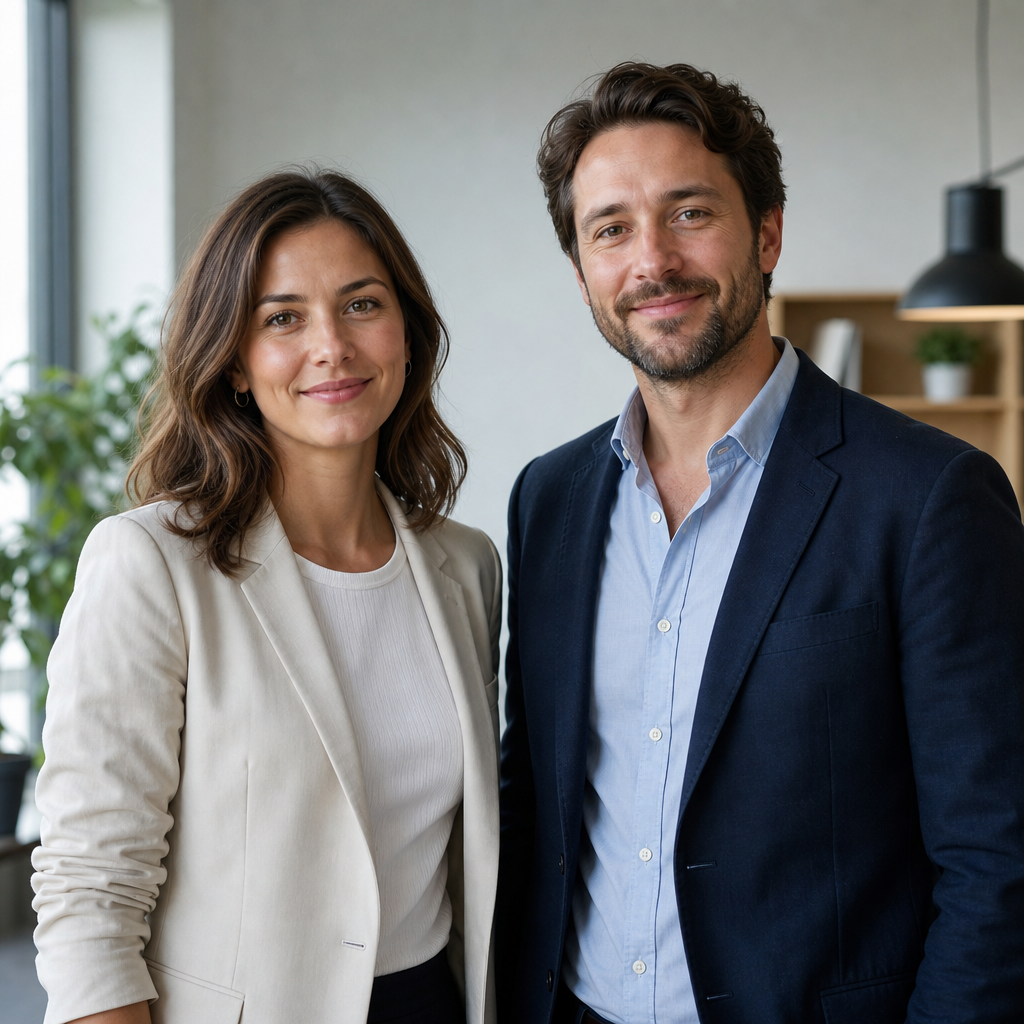
Imagine two adult colleagues in smart business-casual clothing, shown waist-up in a simple modern office, both facing slightly towards the camera with relaxed shoulders and natural gentle smiles, lit by soft daylight with a clean contemporary portrait feel. This kind of expression and posture can work well for team headshots where consistency and approachability are important.
Practical checklist for better AI headshots
Before generating your images, decide where the headshot will be used. A LinkedIn profile may need a slightly warmer image than a board biography. A company website may need consistency across the team. A speaker page may benefit from a confident, engaging look. When the purpose is clear, it becomes easier to choose the right pose, outfit and background.
Next, choose source photos that represent your current appearance. Use clear images with natural lighting and avoid heavy edits. Include several angles and expressions. If possible, provide photos where your hair, facial hair and general style match how you want to appear professionally. This helps QuickAI Headshots generate results that feel authentic rather than artificial.
Then review your generated options with your audience in mind. Do not only ask, “Do I like this?” Ask, “Would a client trust this person?” or “Would this image make a recruiter pause?” or “Does this match the level of seniority I want to communicate?” Good professional headshot poses should serve a strategic purpose.
Finally, keep your headshot up to date. If your appearance changes significantly, or if you move into a new role or industry, refresh your image. A current headshot reduces friction when people meet you in person or on video. It also signals that you pay attention to your professional presence.
How QuickAI Headshots helps teams look consistent
One of the hardest parts of traditional corporate photography is consistency. If employees are in different cities, countries or time zones, arranging a unified photoshoot can be nearly impossible. The result is often a team page with mixed lighting, uneven crops, different backgrounds and varying levels of quality. This can make even a strong organisation look less polished than it is.
QuickAIHeadshots.com gives teams a simpler route to consistency. Each person can upload suitable photos, then receive professional-looking images with aligned backgrounds, framing and style. This is ideal for remote-first companies, agencies, consultancies, SaaS businesses, professional services firms and growing start-ups. Consistent team headshots help build trust because they show care, organisation and attention to detail.
AI-generated headshots also make onboarding easier. When a new team member joins, you do not need to wait for the next photography day. They can create a matching professional headshot quickly, helping your website, pitch documents and internal systems stay current. For businesses that move quickly, this flexibility is a clear advantage.
Conclusion: professional headshot poses and the smarter way to look credible online
Professional headshot poses are not about looking perfect; they are about looking credible, confident and appropriate for the opportunities you want to attract. The strongest poses are usually simple: relaxed shoulders, clear eye contact, a natural expression and a posture that matches your professional goals. Whether you need corporate headshot poses, LinkedIn headshot poses or a warmer personal brand image, the right pose helps people understand you before they read a single line of your profile.
AI-generated headshots are now a smart alternative to traditional photoshoots because they save time, reduce cost and offer far more flexibility. QuickAI Headshots makes it easier to create polished images without studio appointments, travel or awkward posing sessions. With QuickAIHeadshots.com, individuals and teams can generate professional headshots that feel modern, consistent and ready for real-world use. If your current profile photo no longer reflects where you are going, now is the right time to update it with a sharper, smarter approach.