A professional headshot backdrop does far more than sit behind your face; it shapes how recruiters, clients, investors and colleagues interpret your personal brand in the first few seconds. The right background can make you look credible, approachable, senior, creative or highly polished, while the wrong one can distract from your expression and weaken the impact of your image. That is why AI-generated headshots have become such a smart alternative to traditional photoshoots: they allow you to test clean studio backgrounds, corporate portrait backgrounds and LinkedIn headshot backdrop styles without booking a photographer, hiring a studio or spending hours travelling across town.
For many professionals, the problem is not wanting a good headshot. It is the practical friction around getting one. Traditional photoshoots can involve coordinating diaries, choosing outfits, commuting, waiting for edits and hoping the final backdrop suits your industry. QuickAI Headshots removes much of that friction by creating polished, realistic headshots from your existing photos. With QuickAIHeadshots.com, you can access a range of professional-looking options and choose the business headshot background that best supports your goals.
This guide explains how to think strategically about your headshot background, why AI-generated headshots are often more efficient than conventional shoots, and how to choose a backdrop style that works for LinkedIn, company websites, CVs, speaking profiles and online portfolios.
Why your professional headshot backdrop matters
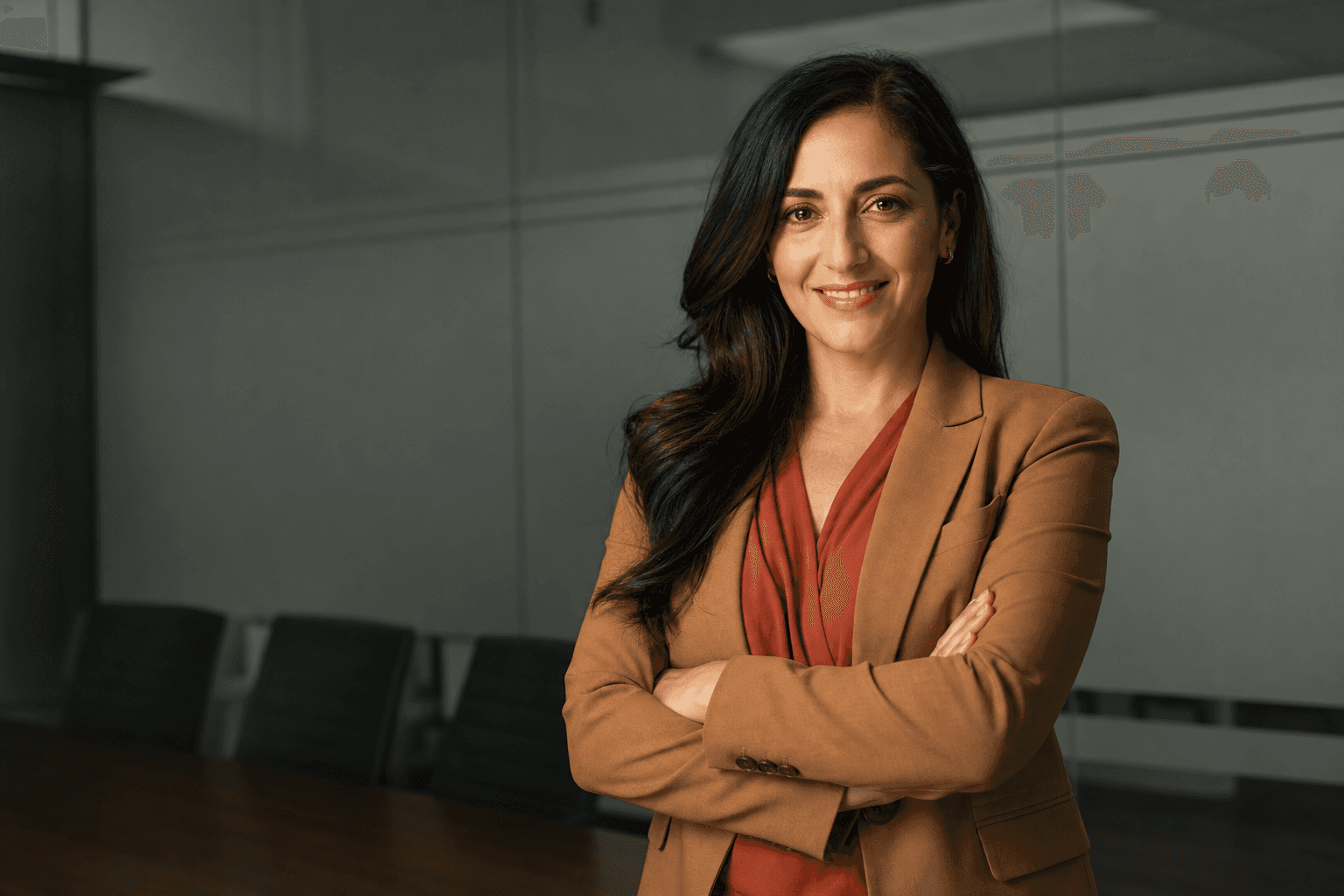
Your face is the centre of the image, but the backdrop provides the context. A neutral headshot background creates calm and authority. A bright office background suggests energy and collaboration. A dark studio backdrop can feel premium and executive. A soft outdoor or window-lit background can communicate warmth and accessibility. These cues are subtle, but they influence how people respond to you online.
In a traditional photoshoot, you may have only one or two backdrop options on the day. If the lighting is poor, the wall colour clashes with your outfit, or the office setting looks cluttered, your choices become limited. AI-generated headshots offer a more flexible route. With a service such as QuickAI Headshots, you can explore multiple backdrop styles and select the one that feels aligned with your role, sector and personality.

A clean, uncluttered studio backdrop is one of the safest and most versatile choices for a professional headshot. It keeps attention on your eyes, expression and posture, making it ideal for LinkedIn profiles, internal directories, consultancy pages and job applications. Navy, cream, white, soft grey and charcoal wardrobes pair especially well with this type of business headshot background because they create contrast without overwhelming the image. If you are unsure where to begin, a bright neutral studio look is usually the most dependable starting point.
AI-generated headshots versus traditional photoshoots
Traditional photography can produce excellent results, particularly when you have a clear brief, an experienced photographer and the time to attend a session. However, it is not always the most practical solution. Many professionals need updated images quickly, perhaps for a new role, a conference bio, a company launch or a refreshed LinkedIn presence. In those moments, speed and flexibility matter.
AI-generated headshots are designed for that modern reality. Instead of arranging a full shoot, you upload suitable existing images and receive a range of professional portraits created in different styles. QuickAI Headshots can help you see yourself against a clean studio backdrop, a corporate office background, a modern executive portrait backdrop or a softer LinkedIn headshot background. You are not locked into a single wall, a single lighting set-up or a single session.
Another advantage is consistency. Teams often struggle to create unified headshots when employees are based in different cities, working remotely or joining at different times. AI headshots can help organisations present a coherent look without flying everyone to the same studio. QuickAIHeadshots.com is particularly useful for distributed teams that want professional images with similar framing, lighting and background quality.
Cost is also a factor. A professional photoshoot can involve photographer fees, studio hire, travel, retouching charges and time away from work. AI-generated headshots offer a more efficient alternative, especially when you need several backdrop options rather than one final image. For individuals and teams alike, QuickAI Headshots makes it easier to refresh online presence without turning the process into a large production.
How to choose a professional headshot backdrop for your role
The best professional headshot backdrop is not simply the prettiest one; it is the one that supports the message you want to send. A solicitor, finance leader or board adviser may prefer a restrained studio backdrop for headshots, using soft grey, white, navy or charcoal tones. These backgrounds suggest clarity, discretion and authority. A start-up founder, designer or consultant may want a warmer office background or subtle city bokeh to convey momentum and approachability.
Think about where your headshot will appear. On LinkedIn, a simple background helps your face remain visible even in a small circular crop. On a company leadership page, the backdrop may need to align with other team portraits. On a speaking profile, you may want slightly more personality, such as a softly lit office or contemporary workspace. On a CV, a neutral headshot background is usually best, because it keeps the focus professional.
Your industry also matters. Healthcare, education and public sector professionals often benefit from light, approachable backgrounds. Tech and creative professionals can use modern office or subtle urban backdrops. Executive coaches, consultants and founders may prefer backgrounds that feel polished but not stiff. QuickAI Headshots allows you to compare these directions before committing to the final image.
Finally, consider your personal brand words. If you want to look calm, trusted and precise, choose a clean studio background. If you want to look warm, collaborative and modern, a soft office background may work better. If you want to look bold, senior and distinctive, a darker executive portrait backdrop may be the right choice.

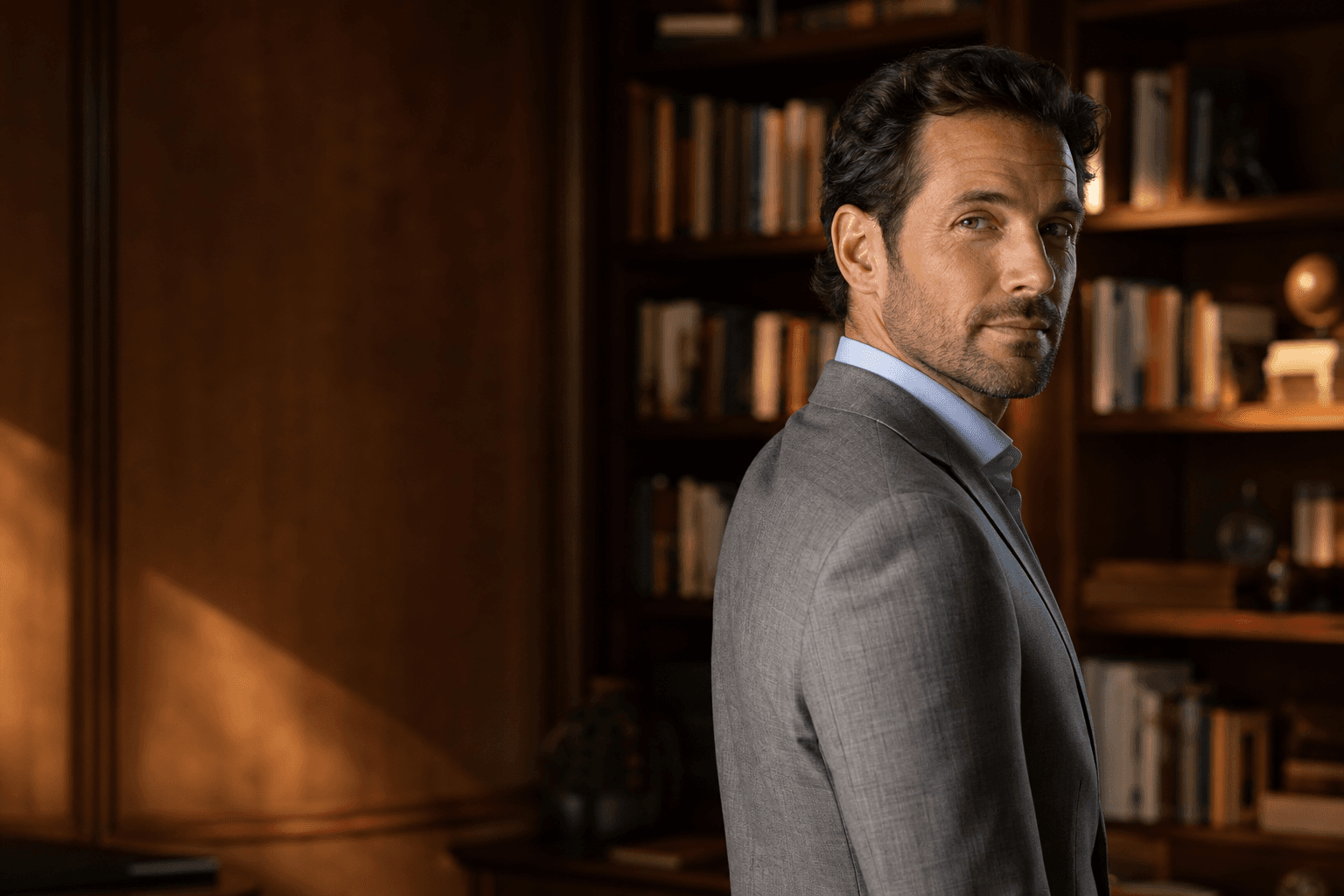
An office-style background can be powerful when you want to appear approachable as well as capable. Warm wood tones, soft daylight and a relaxed seated posture suggest confidence without stiffness. This type of corporate portrait background works well for consultants, founders, HR leaders, estate professionals, coaches and anyone whose work depends on trust-based relationships. The key is restraint: the office should feel polished and atmospheric, not busy or cluttered.
Practical backdrop tips for a stronger AI headshot
Whether you use QuickAIHeadshots.com or another method, the same visual principles apply. First, choose contrast. If you wear a dark jacket, a mid-light or softly lit background can help separate your outline. If you choose a pale shirt or blouse, avoid a backdrop that is so light your shoulders disappear. Contrast gives the headshot structure and makes it easier to read at small sizes.
Second, avoid unnecessary detail. Bookshelves, glass partitions, plants and office features can work, but only when blurred and carefully balanced. A distracting background competes with your expression. The most effective LinkedIn headshot backdrop is usually simple enough to disappear at first glance but stylish enough to support the overall impression.
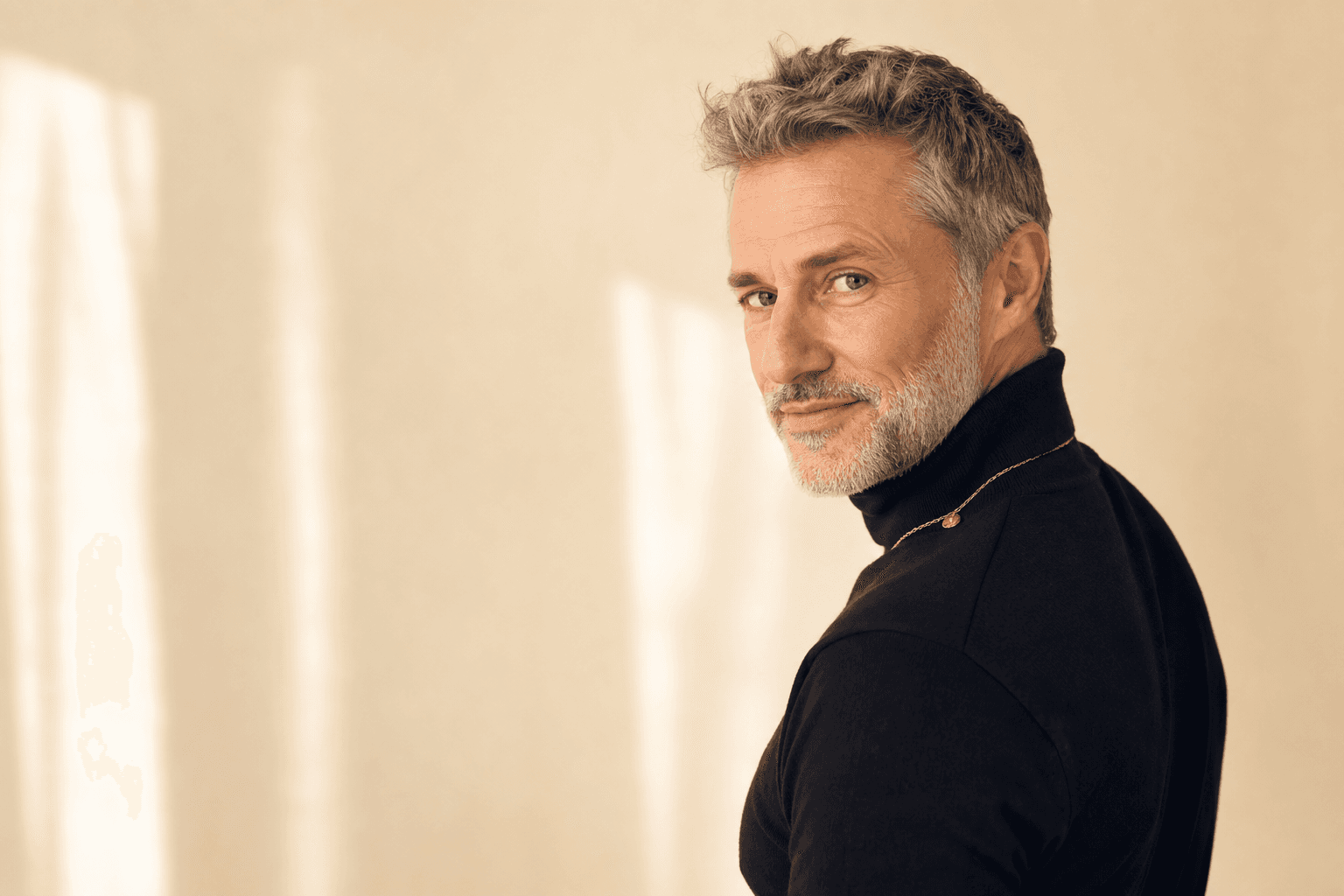
Third, match warmth to your message. Cool grey and white backgrounds can feel precise, technical and contemporary. Warm beige, wood and daylight backgrounds feel personable and relaxed. Deep navy or charcoal can feel serious and premium. None is universally better; each sends a different signal.
Fourth, keep cropping in mind. LinkedIn and many company platforms crop images tightly. A backdrop that looks interesting in a full portrait may become irrelevant or messy when reduced to a small profile image. AI-generated headshots from QuickAI Headshots give you options, so choose a version that still works when viewed as a thumbnail.
Fifth, coordinate your wardrobe. A professional headshot backdrop should support your clothing, not fight it. Strong patterns, very bright colours and overly casual items can clash with corporate backgrounds. Tailored jackets, crisp knitwear, structured shirts, simple dresses and neat layers usually photograph well. For most professionals, navy, charcoal, cream, forest green, burgundy, camel and soft blue are reliable choices.
Best backdrop styles for LinkedIn and personal branding
LinkedIn is often where your headshot works hardest. People may see it beside a comment, in a connection request, on a search results page or in a recruiter shortlist. A strong LinkedIn headshot backdrop should be clean, flattering and instantly legible. If the image feels too casual, too busy or too dark, it can reduce trust before someone even reads your profile.
For LinkedIn, three backdrop styles tend to perform well. The first is the light studio background: crisp, simple and widely acceptable across industries. The second is the soft office background: professional but warmer, ideal for relationship-led roles. The third is the subtle city or window backdrop: modern, polished and slightly more dynamic, often suitable for founders, consultants and senior professionals.
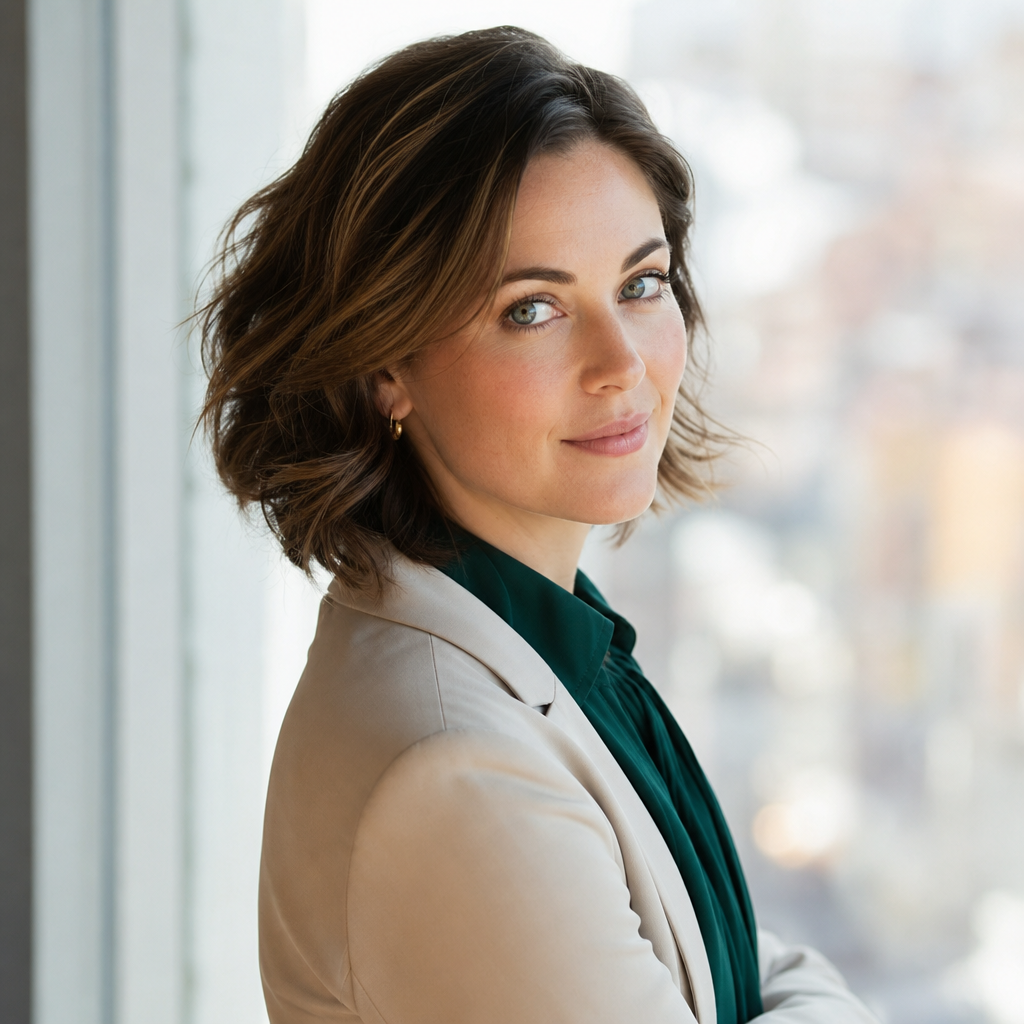
A city-window backdrop can add energy without making the headshot feel informal. Soft bokeh, natural light and a composed over-the-shoulder pose suggest a professional who is active, current and comfortable in modern working environments. This style is especially useful when you want a personal brand image that feels less like a passport photograph and more like a confident editorial portrait, while still remaining appropriate for LinkedIn and corporate use.
For personal websites, you can be slightly more expressive. A coach may choose a warmer, softer backdrop. A consultant may select a neutral studio look for authority. A creative founder may prefer a textured co-working space or gentle urban background. QuickAI Headshots is useful here because you can create a suite of images: one formal headshot for LinkedIn, one warmer image for your website, and one polished executive portrait for proposals or speaker submissions.
Common mistakes to avoid
The first mistake is choosing a backdrop that is too busy. A crowded office, sharp architectural lines or high-contrast outdoor scene can pull attention away from your face. The second is using a background that feels inconsistent with your profession. A playful backdrop may work for some creatives, but it may not suit a legal, financial or medical profile. The third is ignoring colour harmony. If your outfit and background both have strong competing tones, the image can feel unsettled.
Another mistake is overcorrecting into blandness. A plain background is useful, but it should still feel intentional. Lighting, depth, posture and wardrobe give a simple backdrop its quality. A flat grey wall with poor lighting can look dull; a soft grey seamless backdrop with professional lighting can look elegant and expensive.
Finally, avoid using the same image everywhere if it does not fit every context. Your LinkedIn photo, company bio and conference profile may have slightly different requirements. QuickAIHeadshots.com makes it practical to keep a consistent personal brand while using different background options for different platforms.
Why QuickAI Headshots is a smart alternative
QuickAI Headshots is built for professionals who need credible images without the time, cost and logistics of a traditional shoot. Instead of hoping one photoshoot produces the perfect professional portrait background, you can review a range of AI-generated results and select the images that best represent you. This is particularly helpful if you are changing careers, updating your LinkedIn presence, launching a business or standardising a team page.
The process also helps reduce the pressure many people feel in front of a camera. Not everyone enjoys a studio session, and nerves can show in posture and expression. AI-generated headshots allow you to start from familiar photos and receive polished alternatives with professional framing, lighting and backdrop choices. The result is a more accessible way to achieve a high-quality business headshot.
For teams, QuickAI Headshots can support a consistent corporate identity. Remote staff, new starters and international colleagues can all receive headshots that feel aligned, even if they are not photographed in the same physical location. This is one of the strongest reasons AI-generated headshots are becoming a practical replacement for traditional photoshoots.
Conclusion: choose a professional headshot backdrop with intention
A professional headshot backdrop is not a minor detail; it is part of the message your image sends before you say a word. Clean studio backgrounds communicate clarity, office backgrounds suggest collaboration, city-window backdrops add modern energy, and darker executive styles can create authority. The smartest choice depends on your role, audience, platform and personal brand.
AI-generated headshots make that choice easier. Instead of relying on one traditional photoshoot, you can compare multiple business headshot backgrounds, test different moods and choose the image that feels most credible. QuickAI Headshots and QuickAIHeadshots.com give professionals and teams a practical, polished and flexible way to refresh their online presence. If you want a headshot that looks current, confident and aligned with your career goals, start with the backdrop, then let the rest of the image support it.