Why your professional headshot matters more than ever
Your headshot is often the first impression someone gets of you online. Whether it is a recruiter checking your profile, a potential client browsing your website, or an investor scanning your pitch deck, the image they see sets expectations before they read a single word. A sharp, modern headshot signals credibility, confidence and attention to detail, while a blurry, dated or casual snapshot can quietly undermine your professional story.
In a digital-first world, you no longer need to book an expensive photographer and spend half a day in a studio to achieve that polished look. AI-generated headshots, especially from services like QuickAI Headshots, now offer a fast, affordable and highly scalable alternative to traditional photoshoots, without compromising on quality.
What are AI-generated headshots?
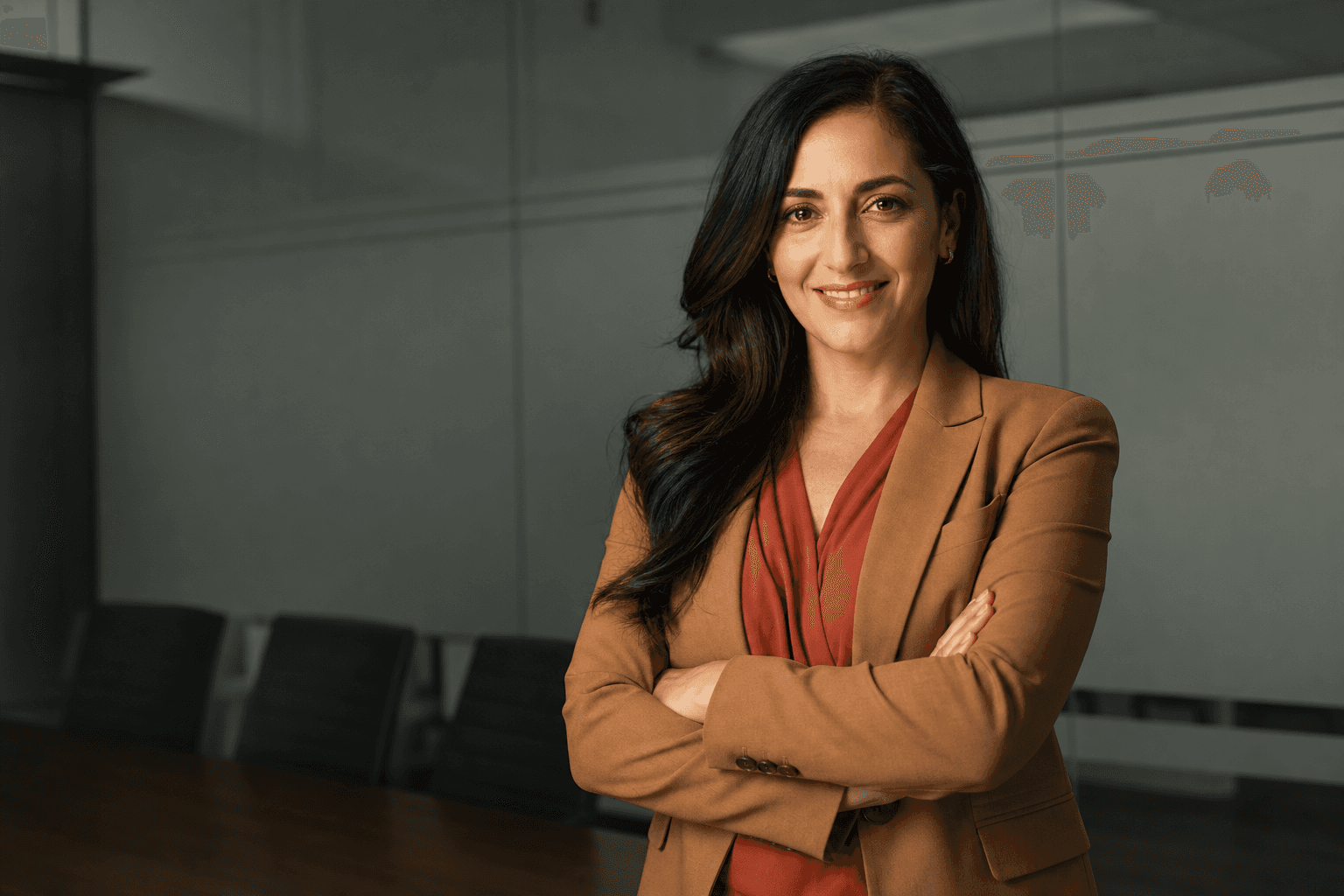
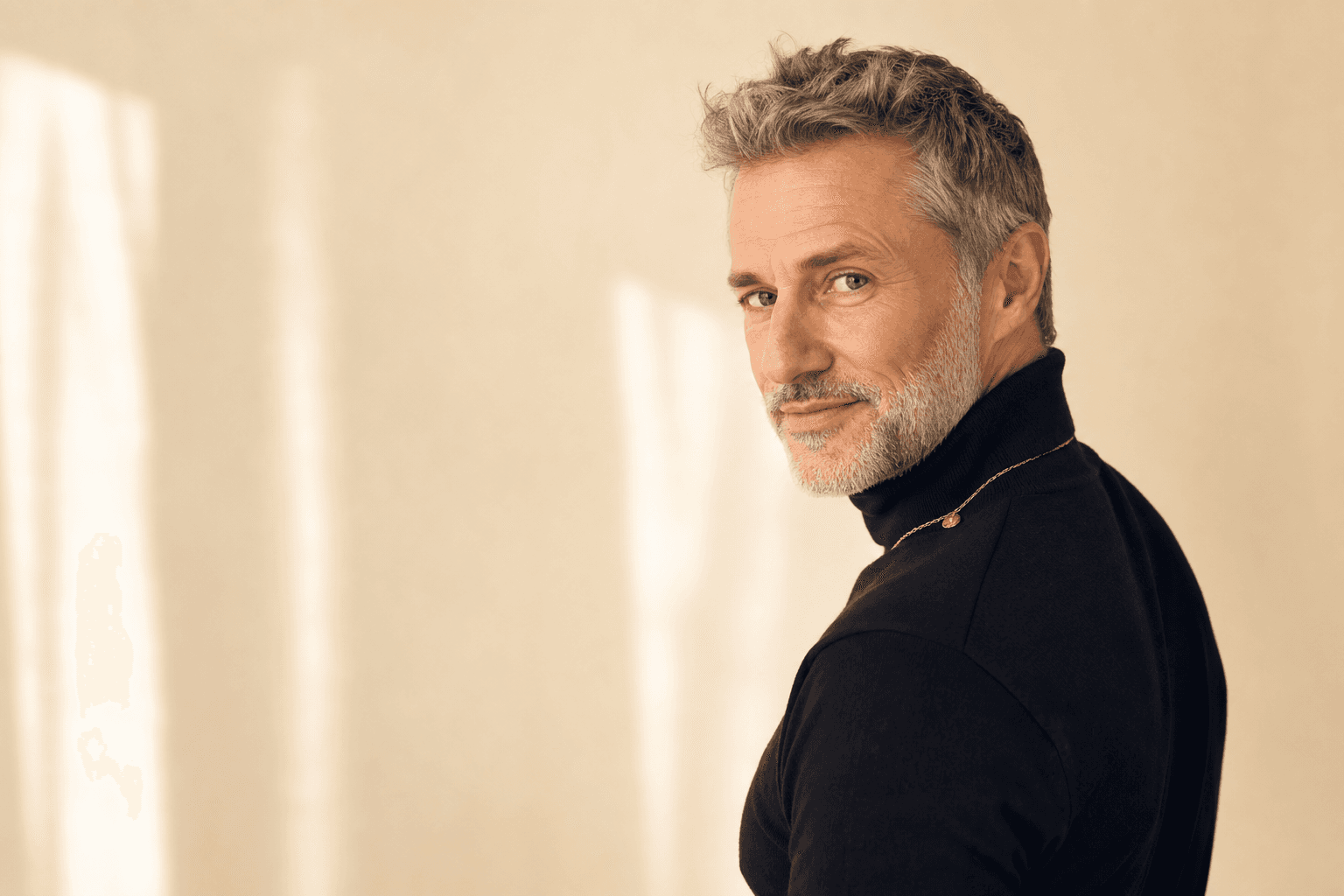
AI-generated headshots use advanced machine learning models to create realistic, studio-quality portraits from everyday photos. Instead of capturing a single moment with a camera, the AI learns your facial features and recreates a variety of images with different lighting, backgrounds, outfits and compositions, all designed to look like professionally shot portraits.
When you use a platform such as QuickAI Headshots, you simply upload a set of clear photos, and the system generates a gallery of professional headshots in various styles. The result is a consistent, on-brand image that you can use across your professional profiles, company website, speaking bios and marketing materials.
This technology is not about creating fake identities or unrealistic versions of you. The goal of QuickAIHeadshots.com and other reputable tools is to deliver natural, believable images that look like your best professional self on an excellent day in a great studio.
AI headshots vs traditional photoshoots: a clear comparison
1. Cost and accessibility
Traditional headshot sessions can be expensive, especially in major cities. Once you factor in the photographer’s fee, studio hire, travel, time off work, make-up and potential retouching, the total cost can easily run into hundreds of pounds per person. For teams or entire organisations, that cost scales up quickly.
AI-generated headshots from QuickAI Headshots, by contrast, remove almost all of those overheads. You pay a simple, transparent fee for a full set of images and receive dozens of high-resolution headshots for less than the price of a single conventional session. This makes professional imagery accessible not only to executives, but also to freelancers, graduates, early-stage founders and entire teams on a budget.
For global, remote or hybrid companies, this accessibility is transformative. Instead of flying people to a central location or juggling local photographers and inconsistent results, HR and marketing teams can standardise headshots at scale with QuickAIHeadshots.com in a matter of days.
2. Time, convenience and flexibility
Arranging a traditional photoshoot involves scheduling, studio booking, weather considerations if you shoot outdoors, and coordinating with a photographer’s availability. From first enquiry to final retouched images, the entire process can take weeks.
AI-generated headshots compress that timeline dramatically. With QuickAI Headshots, you can upload your photos in minutes, let the system process them, and receive a curated set of professional images typically within hours, not weeks. There is no need to coordinate calendars, travel, or worry about last-minute cancellations.
This convenience is invaluable when you need to move quickly – for example, updating your profile before a job application, preparing for a speaking engagement, or launching a new venture. Instead of waiting on a photographer’s schedule, you control the timing.
3. Consistency and branding
One of the biggest challenges with traditional photoshoots is achieving visual consistency, especially across teams. Different photographers, lighting styles, lenses and editing preferences can make a company’s "About" page look patchy and disjointed. Even for individuals, mixing headshots from different years and photographers can dilute a unified personal brand.
AI headshot tools such as QuickAIHeadshots.com excel at consistency. Because the images are generated from the same model, you can choose a cohesive style – background colour, pose, framing and overall aesthetic – and apply it across all your headshots. For organisations, this means clean, unified team pages. For individuals, it means your professional profiles, portfolio site and media appearances all feel intentional and on-brand.
Visual consistency is a subtle but powerful form of trust-building. Prospects, clients and hiring managers are more likely to perceive you as reliable and detail-oriented when your imagery looks professional and coherent across platforms.
4. Variety and experimentation
In a traditional session, you might receive a handful of final images from a limited number of angles and outfits. If you decide six months later that you would like a different background or style, you may need to book another shoot. This restricts your ability to test what works best for your audience.
AI-generated headshots flip this on its head. A service like QuickAI Headshots can generate dozens of variations in one go: different backgrounds (light, dark, textured), clothing styles (formal, business casual, creative), and compositions (tight crop, wider crop). You can experiment with several looks and choose the ones that align best with your role, industry and goals.
This flexibility is particularly useful for founders and freelancers who need slightly different images for investor decks, conference bios, social media and company websites. With QuickAIHeadshots.com, you can effectively build a small library of personal brand imagery from a single upload.
Is an AI headshot right for your professional profile?
AI-generated headshots are not just for tech enthusiasts. They are a smart option for anyone who wants to upgrade their online presence without the complexity of a traditional photoshoot. The key is to match the style of your AI headshot to your professional context and audience.
For corporate roles, a clean, neutral background and classic business attire often work best. For creatives, coaches or entrepreneurs, a slightly warmer, more relaxed image may resonate more with your clients. The advantage of using QuickAI Headshots is that you can produce a range of styles, then pick the images that best communicate your personality and expertise.
Below are practical tips to help you get the most from AI headshots and ensure they feel authentic, credible and professionally aligned with your goals.
How to prepare your photos for the best AI headshots
The quality of the images you upload significantly influences the quality of your AI-generated headshots. While you do not need professional photos to start, you do need clear, well-lit reference images so the AI can understand your features accurately.
1. Choose clear, recent photos
Pick photos taken within the last year, without heavy filters or extreme edits. Aim for a mix of angles – front-facing, slight left and right – where your face is fully visible and not obscured by hats, sunglasses, or strong shadows. Everyday phone photos are usually fine as long as they are sharp and not overly compressed.
Using recent, natural images helps QuickAIHeadshots.com generate headshots that genuinely resemble you today. This is important both ethically and practically; you want people to recognise you when you meet them in person or on a video call.
2. Prioritise good lighting and neutral expressions
Good lighting makes it much easier for the AI to capture your features accurately. Where possible, use soft, natural light from a window or even, indirect indoor lighting. Avoid harsh backlighting, strong shadows across your face or coloured lighting that distorts skin tones.
Neutral or gently smiling expressions work best. Extreme expressions – exaggerated frowns, wide-open mouths or squints – can introduce distortions. A calm, approachable look gives QuickAI Headshots a strong foundation to work from and aligns well with most professional contexts.
3. Include a variety of clothing and settings
You do not need to overthink your outfits, but including a few photos in smart clothing can help the model understand how you typically present yourself. Choose outfits that would feel appropriate for an important meeting or video interview. Avoid overly busy patterns or novelty items, which can distract from your face.
Varied settings are fine as long as your face remains clearly visible. The background in your reference photos does not need to be perfect, because the AI will replace it in the generated headshots, but clarity and contrast between you and the background are helpful.
Practical tips for choosing the right AI headshots
Once QuickAI Headshots has generated your gallery, you may find yourself with dozens of appealing options. The challenge then becomes selecting the most effective images for your specific use cases. A considered approach ensures your new headshots actively support your professional goals.
1. Match your image to your audience
Think about who will be viewing your profile and what you want them to feel. A senior corporate audience might respond best to a more formal pose, neat attire and a neutral background. Start-ups, creative industries and small business clients may appreciate a warmer, more relaxed image that still looks polished.
When browsing your QuickAIHeadshots.com results, shortlist images by context: one for your professional networking site, another for your company website or "About" page, and perhaps a more relaxed option for personal blogs, newsletters or podcasts. You can use the same face and expression but adjust the formality of clothing and background to suit each platform.

2. Aim for approachability plus authority
The most effective professional headshots balance friendliness with competence. A closed-off or overly serious expression can make you appear distant, while an exaggerated grin might feel less credible in certain roles. Look for images where your expression is open, calm and confident.
Pay attention to posture too. Slightly turning your shoulders rather than facing the camera dead-on, keeping your chin at a natural angle, and relaxing your shoulders all contribute to a more engaging presence. AI-generated headshots from QuickAI Headshots often offer subtle variations in posture, so compare them side-by-side and choose the one that feels strongest.
3. Ensure realism and authenticity
One understandable concern with AI imagery is realism. You want your headshot to look like you, not an idealised or unrecognisable version. When reviewing your gallery, check that your facial proportions, skin tone and distinguishing features are preserved. A little polish is good; a drastic transformation is not.
Reputable providers such as QuickAIHeadshots.com prioritise realistic results, but your own judgement is crucial. If an image feels too airbrushed or subtly unlike you, set it aside. Authenticity builds trust; a professional who looks like a believable, real human is far more relatable than a flawless but artificial avatar.
4. Consider accessibility and inclusivity
Beyond personal preference, it is worth considering how your image will be perceived by a diverse audience. Avoid overly stylised looks that might be distracting or hard to interpret at small sizes. Clear contrast between you and the background helps people quickly identify your face, including those with mild visual impairments.
Opt for simple backgrounds and well-lit, uncluttered compositions. The more your headshot focuses on you rather than visual effects, the more accessible and inclusive it tends to be. AI tools like QuickAI Headshots make it easy to select clean, distraction-free designs that work well across devices and screen sizes.
Using AI headshots for stronger personal branding
Personal branding is no longer just for executives and influencers. Anyone with a professional online presence benefits from a consistent, intentional image. AI-generated headshots give you the flexibility to build that image without constant reshoots or heavy editing.
1. Create a unified visual identity across channels
Start by choosing one "hero" image from your QuickAIHeadshots.com gallery – the headshot that feels most aligned with how you want to be perceived professionally. Use that as your primary photo on your main professional networking site, company bio and email profile where possible.
Then select one or two complementary images for secondary use, such as guest articles, event programmes or online communities. Keeping the same general style – similar background, clothing and expression – across all of these touchpoints strengthens your personal brand. People begin to recognise you instantly, which is invaluable for networking and trust-building.

2. Align your headshot with your written message
Your headshot should support, not contradict, the story you tell in your profile summary or "About" page. If you position yourself as an approachable mentor or coach, an overly severe or distant image sends mixed signals. If you emphasise technical authority and precision, a very casual image might undercut that perception.
Read your professional summary and then look at your chosen AI headshot from QuickAI Headshots. Do they convey a similar tone? Do they feel like the same person? Adjust either your wording or your image selection until they feel clearly aligned. This harmony between visual and written elements creates a stronger, more memorable impression.
3. Refresh regularly without the hassle
Personal brands evolve. You change roles, gain new skills, shift industries or refine your focus. One of the greatest advantages of AI headshots is the ability to refresh your image regularly without needing to schedule another photoshoot.
With QuickAIHeadshots.com, you can update your gallery when your style, hair or professional goals change, keeping your online presence current and consistent. A fresh headshot can signal momentum and growth, especially when paired with updated profile content, recent achievements and new case studies.
AI headshots for teams and organisations
While individuals benefit greatly from AI-generated headshots, the impact for teams and entire organisations can be even more significant. Coordinating traditional shoots across departments, locations and time zones is a logistical headache that many companies quietly postpone.
By adopting AI headshots through QuickAI Headshots, companies can roll out a unified visual style across their entire workforce. New hires can be onboarded with professional images in days, not months, and remote employees no longer need to travel or find local photographers. This streamlines employer branding, recruitment campaigns and internal directories.
1. Consistent, on-brand team pages
Visitors often navigate straight to a company’s team or "About" page to gauge credibility and culture. Mismatched photos – some formal, some casual, some outdated – can send a confusing message. A cohesive, modern set of headshots sends a stronger signal that the organisation is organised, thoughtful and invested in its people.
Using QuickAIHeadshots.com, marketing and people teams can define preferred background colours, approximate framing and clothing guidelines, then provide employees with clear instructions for uploading their reference photos. The AI handles the rest, producing a consistent, polished result that looks as though everyone visited the same studio on the same day.
2. Scalable for growth and turnover
As your organisation grows, maintaining consistent photography becomes more challenging. New joiners might not match the look and feel of the original shoot, especially if that shoot took place months or years ago. Rebooking a photographer every quarter quickly becomes impractical.
AI headshots scale naturally. Whether you have one new starter or fifty, they can generate their images via QuickAI Headshots as part of the onboarding process. This ensures that your website, internal platforms and external communications always look up-to-date without constant reshoots or patchwork solutions.
3. Supporting remote and hybrid cultures
In remote and hybrid teams, headshots play a subtle but important role in building human connection. Seeing clear, friendly faces in internal directories, chat tools and presentations helps people feel more familiar with colleagues they may rarely meet in person.
AI-generated headshots are particularly effective here because they are quick to produce, require no physical travel and can be generated from wherever your employees are based. QuickAIHeadshots.com makes it easy for distributed teams to maintain a cohesive visual identity without forcing everyone into a one-size-fits-all photoshoot schedule.
Addressing common questions and concerns about AI headshots
1. Are AI headshots ethical and trustworthy?
Concerns around AI imagery often focus on deepfakes and synthetic identities. With professional AI headshots, the intent and implementation are very different. The aim is to create a faithful, realistic portrait of a real person, not to impersonate someone else or mislead viewers.
By using a reputable provider like QuickAI Headshots and uploading your own genuine photos, you are enhancing your professional image rather than fabricating a new identity. The key is transparency and realism: your AI-generated headshot should look like you, and you should be comfortable meeting clients or colleagues who recognise you from that image.
2. Will people be able to tell it is AI-generated?
Modern AI headshots can be remarkably convincing, especially when trained on good reference images and fine-tuned for realism. In many cases, viewers will simply perceive them as high-quality studio portraits. What matters most is that the image looks natural, balanced and consistent with how you appear in real life.
If you choose more stylised backgrounds or colour treatments, observant viewers might suspect that the image has been generated or heavily edited, but that does not necessarily undermine trust. For many professionals, openly embracing AI as a practical tool aligns well with a forward-thinking, tech-aware personal brand.
3. How do AI headshots fit into data privacy and security?
Whenever you upload personal images to an online service, it is sensible to review how your data will be handled. Look for providers that clearly explain how they store, process and delete your photos and generated images, and that follow industry-standard security practices.
QuickAIHeadshots.com emphasises user control and data protection, with clear guidance on how your images are used in the generation process. If you are managing headshots for a team, it is good practice to share this information with employees and obtain their consent, just as you would when arranging a traditional photoshoot.
Making AI headshots work for you
AI-generated headshots are not a gimmick; they are a practical, smart alternative to traditional photoshoots that saves time, money and logistical effort while delivering high-quality results. For individuals, they offer an accessible route to a strong professional image. For teams and organisations, they provide a scalable solution for consistent branding and internal cohesion.
By preparing good reference photos, selecting images that balance authenticity and professionalism, and aligning your headshots with your written message, you can turn a simple portrait into a powerful branding asset. With services like QuickAI Headshots, upgrading your professional presence no longer requires studio bookings, complex schedules or significant budgets.
Whether you are refreshing your profile for a career move, launching a new venture, or bringing visual consistency to a growing team, AI headshots offer a modern, efficient way to present your best professional self online.