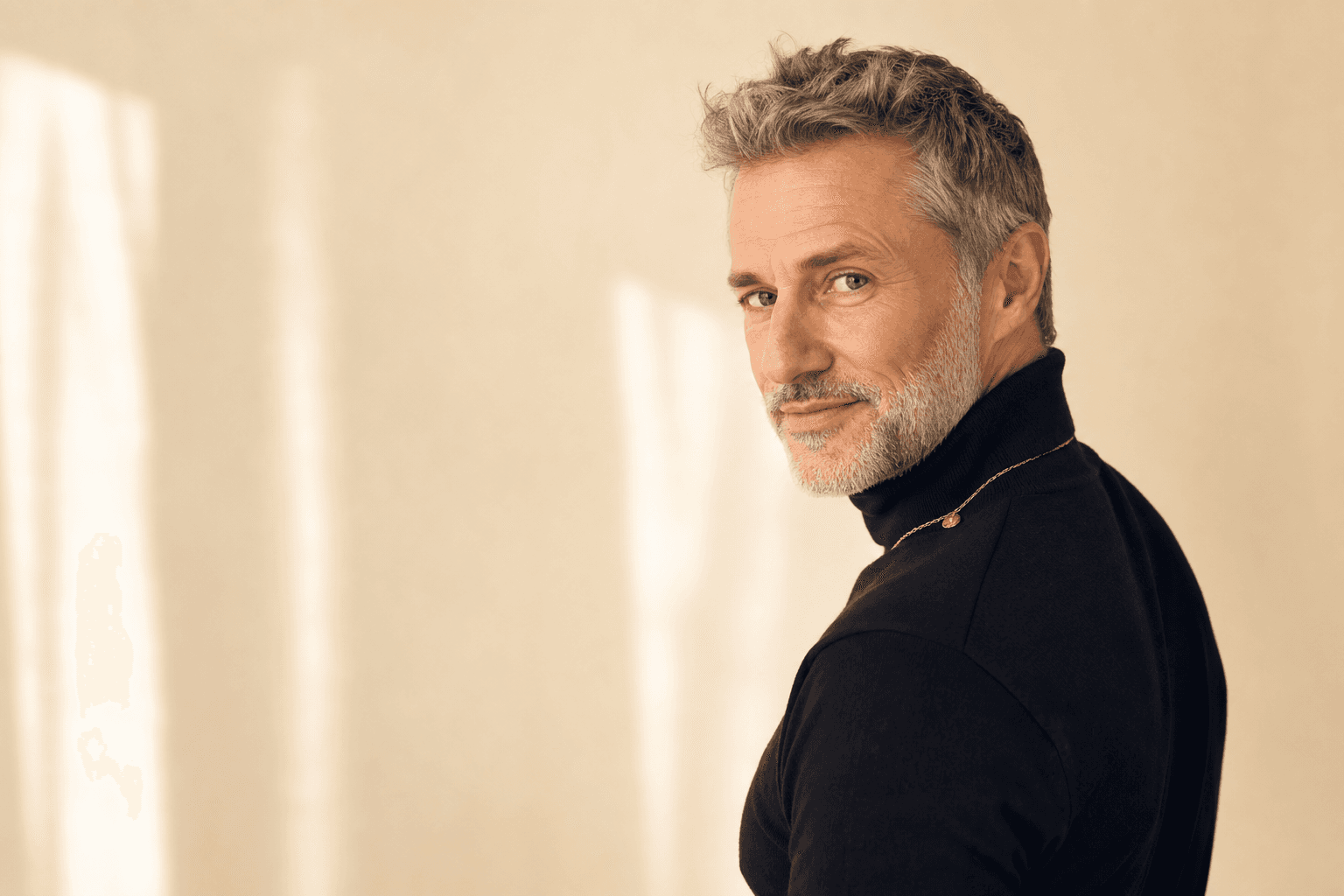
Why AI-generated headshots are changing professional photography
The way professionals present themselves online has changed dramatically. In a world where first impressions are often made on LinkedIn, your company website, or a pitch deck, your headshot has become one of your most important business assets. AI-generated headshots now offer a smart, fast and affordable alternative to traditional photoshoots, giving you studio-quality results without the cost, time and hassle.
Platforms like QuickAI Headshots and QuickAIHeadshots.com use advanced AI to create realistic, polished portraits from simple selfies. Instead of booking a photographer, travelling to a studio and waiting days for edits, you can upload a handful of photos and receive a set of consistent, professional images in minutes. For busy founders, freelancers, jobseekers and teams, this is a game-changer.
The hidden downsides of traditional headshot photoshoots
Traditional photoshoots can produce excellent results, but they come with real drawbacks. You have to find a good photographer, coordinate calendars, travel to a studio or location, and often pay for hair, make-up or styling. For many professionals and small teams, the total cost in money and time simply isn’t realistic.
There is also the pressure and discomfort of being in front of a camera. Not everyone feels confident posing under bright lights with a photographer directing them, and that anxiety can affect your expression and posture. If you are not happy with the final photos, redoing the shoot means spending even more time and money.
On top of that, traditional shoots can make it difficult to maintain a consistent look over time. As your role changes or you join a new company, your appearance may shift and your old headshot can quickly feel outdated. Booking a fresh shoot every year or two is rarely practical, especially if you need multiple looks or backdrops.
How AI-generated headshots work
AI-generated headshots use machine learning models trained on large image datasets to understand lighting, composition and facial structure. When you upload a set of your own photos to a service like QuickAIHeadshots.com, the system learns your features and creates new images of you in different styles, expressions and environments while keeping you recognisable and authentic.
Instead of manual retouching, the AI automatically adjusts lighting, background, colour balance and subtle details like skin smoothing or stray hairs. Done well, the result is not a fake or unrealistic version of you but a refined, professional portrait that still feels honest and natural.
The process is also designed for non-technical users. With a platform such as QuickAI Headshots, you typically choose a style (for example, clean corporate, casual modern, startup founder or creative agency), upload 10–20 selfies or existing photos, and let the AI generate dozens of options. You then select your favourites and download them in formats suitable for LinkedIn, websites and other platforms.
Why AI headshots are ideal for LinkedIn and first impressions
LinkedIn is often the first place a recruiter, client or potential employer will see your face. A sharp, well-lit headshot that looks confident and approachable can significantly increase profile views and connection acceptance rates. AI-generated headshots make it easy to create that strong first impression without an expensive photo session.
With QuickAI Headshots, you can experiment with different backgrounds, outfits and expressions until you find the look that best matches your professional goals. Whether you want a classic corporate image for a financial role or a more relaxed, creative style for a startup or agency position, AI lets you dial in the exact tone in minutes instead of rearranging your week for a shoot.

Practical tips for an AI-optimised LinkedIn headshot
1. Aim for clear, confident eye contact. Choose an AI headshot where your eyes are clearly visible, facing the camera and not obscured by hair or heavy shadows. Strong eye contact projects trust and competence, which is vital on LinkedIn.
2. Keep the crop tight. For LinkedIn, a classic crop from the chest or shoulders upwards works best. When selecting your AI-generated images on QuickAIHeadshots.com, prioritise versions that keep your face large enough in the frame to stand out even at small sizes.
3. Balance friendliness with professionalism. A natural, slight smile usually works better than a serious expression or an overly big grin. Most AI platforms allow you to generate multiple expressions, so pick the one that feels most like you while still being professional.
4. Match your industry’s expectations. In formal sectors like law, finance or consulting, choose AI headshots with neutral backgrounds, structured clothing and subtle colours. In creative or tech roles, a softer background and slightly more relaxed styling can work very well.
Using AI headshots across your whole digital presence
One of the most powerful advantages of AI-generated headshots is consistency across platforms. Instead of one or two images from a single shoot, you can have a cohesive set of photos tailored for LinkedIn, your company website, your portfolio, speaking profiles and even press features. This makes your personal brand feel deliberate and polished wherever people find you online.
For instance, you might use a clean, formal AI headshot on LinkedIn, a slightly more relaxed version for your personal website, and a bright, high-energy one for podcast artwork or social media banners. Because these all come from the same AI-trained model of your face, they still look clearly like you, building recognition and trust over time.

Practical tips for brand-consistent AI headshots
1. Decide your core brand keywords. Before generating or selecting headshots, identify a few words that capture how you want to be perceived, such as “trustworthy”, “innovative”, “approachable” or “authoritative”. Use these keywords as a filter when choosing from the options on QuickAIHeadshots.com.
2. Stick to a colour palette. If your website, logo or LinkedIn banner uses specific colours, choose AI headshots with backgrounds that either match or complement those tones. Subtle visual harmony gives a more professional feel than random backdrops.
3. Maintain similar composition. Try to use headshots with similar crops and framing across your main channels. Even if you switch outfits or expressions slightly, matching composition helps your brand feel coherent.
4. Create a headshot “library”. Instead of only downloading one or two images, use QuickAI Headshots to build a small library: 8–20 high-quality AI portraits in different outfits, lighting styles and crops. Keep them organised in folders labelled by purpose (LinkedIn, website, presentations, press) so you always have the right shot ready.
Founders, teams and advanced use cases
AI-generated headshots are particularly powerful for startups, agencies and growing companies that need consistent images of multiple people. Organising a full-team studio shoot can be expensive and logistically painful, especially if your colleagues are spread across cities or countries. AI services like QuickAIHeadshots.com allow each person to upload their own selfies from wherever they are and produce a uniform set of images with aligned backgrounds and styles.
Founders can also use AI headshots to create tailored looks for different audiences: a more formal, investor-facing portrait for pitch decks and a more relaxed, human image for employer branding or social media. Teams can align everyone’s portraits on the About page, sales decks and internal tools—instantly making the business look larger, more established and more trustworthy.

Practical tips for teams and company-wide AI headshots
1. Agree on a visual style guide first. Before anyone generates headshots, define shared rules: background colour or style, dress code (formal, smart casual, branded T-shirts), level of retouching, and whether glasses, jewellery or accessories are encouraged or avoided. Share this document with everyone to keep results consistent.
2. Give clear guidance on source photos. Ask team members to upload selfies that are well lit, in focus and show their full face from slightly different angles. Natural daylight from a window often works best. Platforms like QuickAI Headshots will produce better results if the training images are sharp and varied.
3. Nominate a “brand checker”. Once everyone has generated options, appoint someone—usually in marketing, design or HR—to review and curate the final set of images to make sure they align with the brand and look cohesive on the website and internal systems.
4. Plan for new hires and updates. Document the step-by-step process for generating AI portraits using QuickAIHeadshots.com, and include it in your onboarding checklist. That way, every new team member can create matching headshots quickly, and existing staff can refresh their images whenever their look changes.
How to choose the right AI headshot provider
Not all AI headshot tools are equal. When choosing a provider, consider realism, privacy, ease of use and style options. You want images that look like enhanced studio photos, not plastic or over-filtered versions of you.
QuickAI Headshots, for example, focuses on natural, professional outcomes that work well on business platforms. It is designed to produce realistic skin tones, balanced lighting and subtle retouching rather than extreme changes. The interface at QuickAIHeadshots.com is built to be straightforward, even for people who are not tech-savvy.
Also consider how the service handles your original uploads and generated images. Reputable platforms explain how long they store your data, how it is secured and whether your photos are ever used to train future models without your explicit consent. Always read the privacy policy and choose tools with transparent, user-focused practices.
Best practices for preparing your source photos
AI can enhance your appearance and improve composition, but it still depends on the quality of the photos you provide. Following a few simple steps will help you get more accurate, flattering results from QuickAIHeadshots.com or any similar platform.
1. Use varied, well-lit selfies
Upload 10–20 photos shot in different locations, outfits and lighting conditions. Make sure your face is clearly visible, not obscured by heavy shadows, hats or large accessories. Natural window light is ideal, and sharp images will give the AI more detail to work with.
2. Avoid heavy filters and extreme angles
Photos with strong beauty filters, face-altering apps or extreme wide-angle distortion can confuse the AI. Use simple camera shots instead. A mix of slightly angled and straight-on selfies is good, but keep them natural.
3. Show your current look
If you have changed your hairstyle, hair colour or facial hair recently, make sure your source photos reflect your current appearance. This ensures that your AI-generated headshots still look like you when you walk into a meeting or video call.
4. Keep backgrounds simple where possible
Busy backgrounds are acceptable, but photos with relatively clean backdrops usually work better. The AI can more accurately detect your outline and avoid strange artefacts around your hair and shoulders.
Ensuring authenticity: looking like the best real version of you
One common concern about AI headshots is that they might look fake or misleading. The goal is not to create a fantasy version of you but to represent the best real version, similar to what a highly skilled photographer would capture on your best day.
When reviewing AI-generated images, ask yourself two questions: “Would someone recognise me from this photo in a video call or meeting?” and “Does this image reflect how I want to show up professionally?” If the answer to either is no, choose a more realistic option or adjust the style.
QuickAI Headshots is designed with this authenticity in mind. Instead of dramatically reshaping your face or altering your fundamental features, it focuses on better lighting, cleaner backgrounds and subtle enhancements. That way, you still look like yourself—just as you might appear with good sleep, great lighting and an excellent camera.
Using AI headshots responsibly and ethically
As with any new technology, it is important to use AI headshots thoughtfully. Being honest about who you are is crucial for building trust with employers, clients and colleagues. Avoid choosing images that alter your age, gender expression or ethnicity in ways that misrepresent you.
Also be mindful of disclosure in contexts where authenticity is especially critical, such as identity verification or official documents. AI portraits are ideal for branding, marketing and professional profiles, but passport offices and government agencies typically require conventional photographs taken under specific rules.
At a company level, it can be helpful to set guidelines on the acceptable use of AI-generated images for staff bios, proposals and marketing. Encourage everyone to choose portraits that reflect how they appear in real life, and maintain transparency where appropriate.
Cost and time savings compared to traditional shoots
Traditional photoshoots can easily run into hundreds or even thousands of pounds once you factor in photographer fees, studio hire, travel, and lost work time. That is before considering reshoots or updates when team members join or leave, or when your own look changes.
AI-generated headshots allow you to achieve studio-level quality at a fraction of the cost and in a fraction of the time. With QuickAIHeadshots.com, you can usually go from sign-up to finished headshots within the same day—no travel, no scheduling conflicts, and no need to block out half your diary.
This cost and time efficiency makes professional imagery accessible to people who might never have booked a photographer: students, career changers, early-stage founders and small teams. It levels the playing field, allowing anyone to show up online with the same visual polish as larger, better-funded organisations.
Step-by-step: upgrading your professional profile with AI headshots
If you are ready to move from an outdated selfie or old office photo to a modern, polished portrait, the process is simple. Here’s a straightforward workflow using QuickAI Headshots as an example:
1. Define your professional goal
Decide the main purpose of your new headshot: landing a new role, attracting clients, elevating your founder profile, or refreshing your team’s About page. This will guide the style and mood you choose.
2. Gather your source images
Collect 10–20 clear photos that show your face from different angles and in different settings. Check they are recent and reflect how you look now. Avoid heavy filters or extreme edits.
3. Choose your preferred styles on QuickAIHeadshots.com
Sign in and select the headshot styles that best match your goal. Corporate, modern business, startup, creative and tech-friendly looks are all available, and you can often combine more than one to generate a broader set of options.
4. Upload, generate and review
Upload your images, start the generation process and then review the results. Shortlist the headshots that feel both flattering and authentic. Look for natural expressions, good eye contact, clean backgrounds and realistic details.
5. Implement across your platforms
Update your LinkedIn profile, CV, portfolio site, About page and any speaker or author bios. Make sure you use a consistent set of AI-generated headshots so people recognise you instantly, wherever they encounter your work.
The future of professional headshots is AI-first
AI-generated headshots are quickly becoming the default choice for professionals who want studio-level imagery without the traditional cost and complexity. They are faster, more flexible and more scalable than conventional photoshoots, and they allow you to experiment with styles and update your look whenever your career evolves.
By choosing a responsible, quality-focused provider like QuickAI Headshots and following the practical tips above, you can create headshots that are polished yet authentic, consistent across platforms and tailored precisely to your personal brand. Whether you are refreshing your LinkedIn profile, launching a new company site or aligning a growing team, AI headshots are the smart alternative that keeps you looking your professional best.